OpenAI has introduced a new way for businesses to manage their presence in ChatGPT. We’ve started to dive into the platform to map out what you need to know and how to claim your business on ChatGPT.

On November 10, OpenAI announced the launch of Businesses in ChatGPT, a new beta feature that allows businesses to claim their organization, manage important company information, and gain insights into how people discover and engage with them through ChatGPT.
With more consumers using AI platforms to research products, compare services, and find local businesses, having accurate and up-to-date information available in ChatGPT is a critical part of a company’s digital presence. Much like claiming your Google Business Profile, ChatGPT Business Hub provides businesses with a way to establish and manage an official presence within the platform.
Through the new Business Hub, eligible businesses can verify ownership, update company details, and access insights into mentions, website clicks, and discovery topics. Certain businesses can also take advantage of additional features, including product feeds and AI-powered Business Agents. We’ll explore those capabilities in our next article, but first, let’s walk through how to claim your business.
How to Claim Your Business in ChatGPT
Step 1: Click the following link to search for your business: https://chatgpt.com/business-hub
Once there, start typing in the name of your business and then select yours when it pops up.
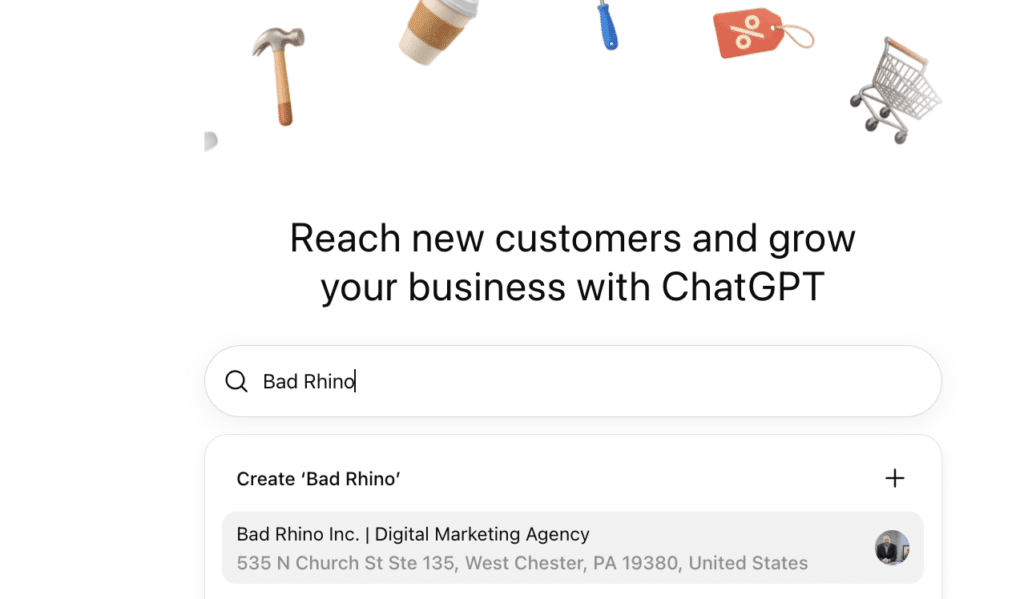
Step 2: Click on “Get started”
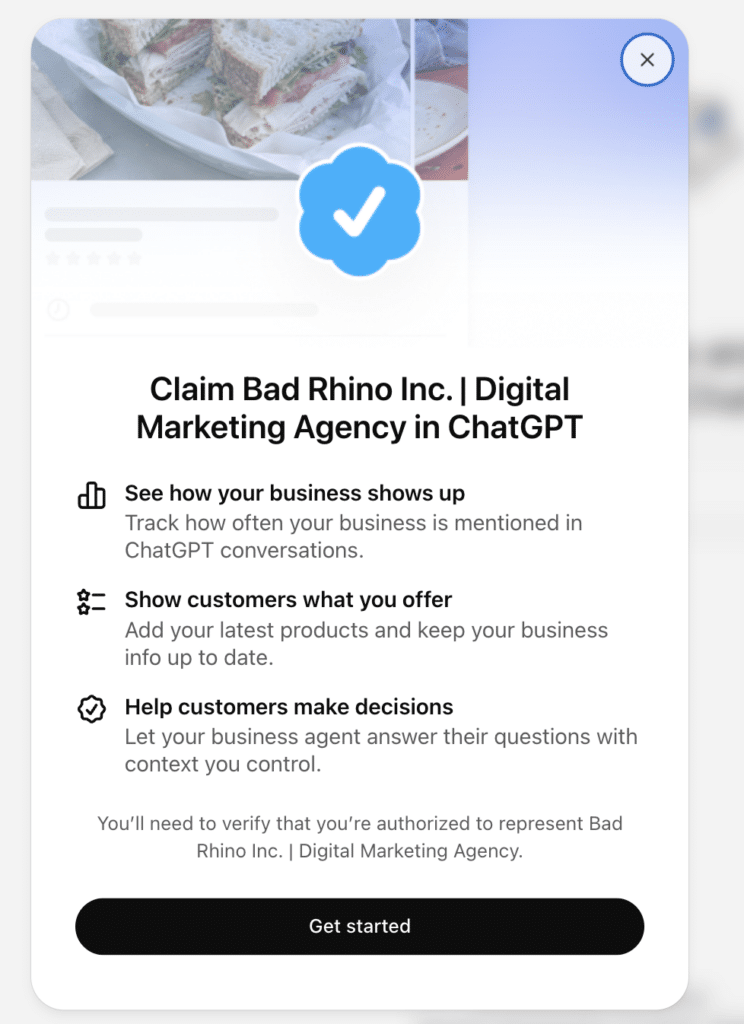
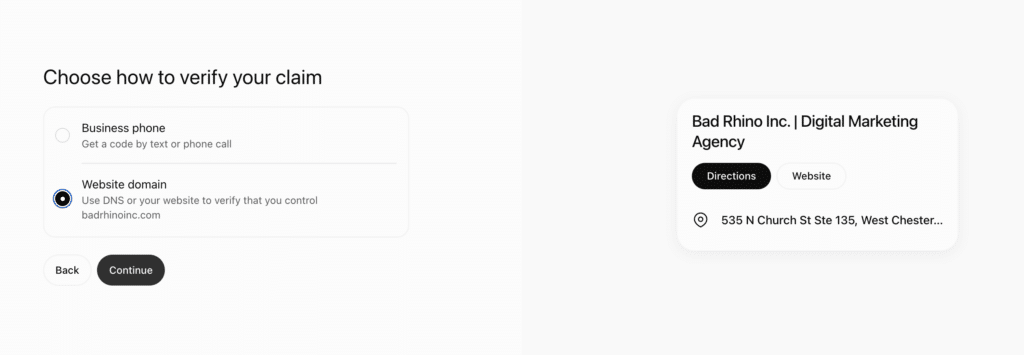
Step 3: Choose how to Verify your business.
You can choose through your Business Phone number or Website domain Bad Rhino went forward with the Website Domain option, which just took a few minutes to complete.
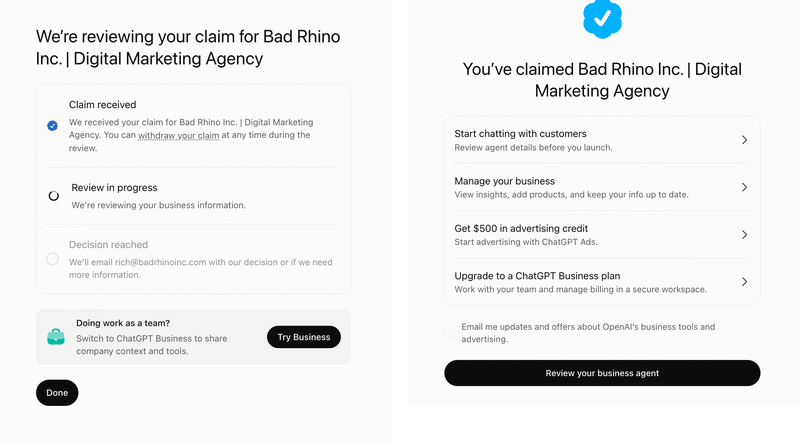
Step 4: Once completing step 3, you’ll see these two images
The image on the left will be immediately after you complete step 3. Bad Rhino received the successful claim image on the right within 30 seconds after receiving the first image on the left.
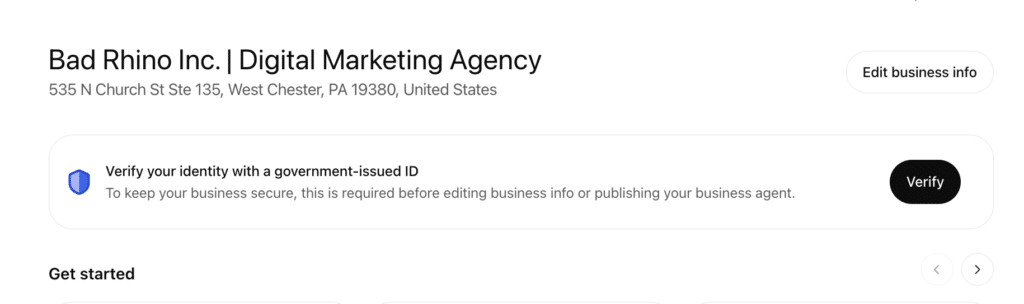
Step 5: Verify your identify with a government-issued ID
You’ll need to take complete this step before you’re able to edit any of the ChatGPT business information or use any of the features within the ChatGPT business hub.
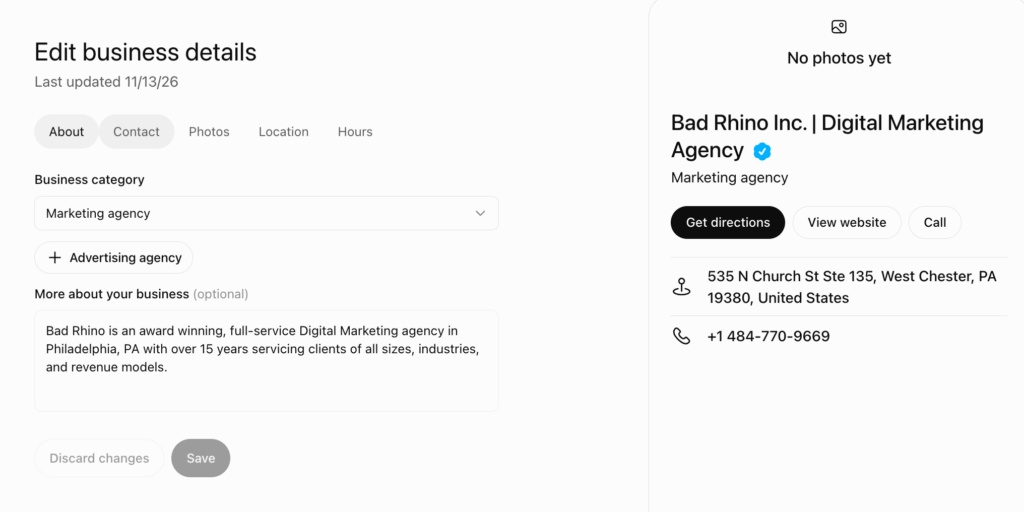
Step 6: Edit your business details
Start by selecting your business category and adding a small bio about your business. You can go further by adding contact details, relevant photos, location info, and operating hours.
Why Claim Your Business on ChatGPTNow?
It’s free and relatively quick to set up, so the short answer is, why not?
ChatGPT Business Hub is still very young, but it could play an important piece for businesses looking to strengthen their presence across AI-powered search platforms.
Claiming your business will not guarantee that ChatGPT recommends your company more often or rank it above competitors. However, it does provide a direct way to manage verified business information and begin understanding how your company appears within the platform.
Our recommendation? If your business is eligible, claim it now, complete the verification process, and begin familiarizing yourself with Business Hub
What If Your Business Has Already Been Claimed?
If you discover that someone else has already claimed your company, ChatGPT provides an ownership dispute process.
Open the business profile, select the three-dot menu, and choose Dispute ownership. You’ll be guided through additional verification steps to demonstrate that you’re authorized to represent the organization.
What’s Next for ChatGPT Business Hub?
In our next article, we’ll take a closer look at the features available within ChatGPT Business Hub, including business insights, discovery topics, website clicks, product feeds, and Business Agents.
Want to chat more about improving your company’s visibility across traditional search engines and AI-powered platforms? Connect with Bad Rhino to discuss your current SEO and AEO strategy.