If you’ve ever tried to manage your Facebook Page, Instagram account, social advertising, or business assets inside Meta, you’ve realized it’s more confusing than it needs to be. This all stems from errors in your Meta Business Portfolio Setup or in Meta Business Suite.
There’s no perfect book or guide as everything inside Meta changes far too often.
Between Meta Business Suite, Business Portfolio, ad accounts, Pixels, permissions, and multiple logins, it’s easy for business owners to lose access, accidentally give someone else complete control, and ultimately, lose their entire account. Not good, friendo.
In our 15 years of Bad Rhino Digital Marketing, we’ve helped so many of our clients and connections get through some of the most horrific Meta situations. To help you set up your Meta Business Suite in 2026, we created this guide of some the answers to the questions we hear most often from business owners.
Meta Business Portfolio Setup: What Every Business Owner Needs to Know
What is Meta Business Suite?
Meta Business Suite is Meta’s central dashboard for managing your Facebook and Instagram presence. It allows businesses to:
- Manage Facebook Pages
- Manage Instagram accounts
- Create and schedule posts
- Respond to messages
- Run advertising campaigns
- View analytics
- Manage team members and permissions
Think of it as your company’s headquarters for everything Facebook and Instagram. And remember, Meta Business Portfolio is managed through Meta Business Suite. Keep this in mind!
What is a Meta Business Portfolio?
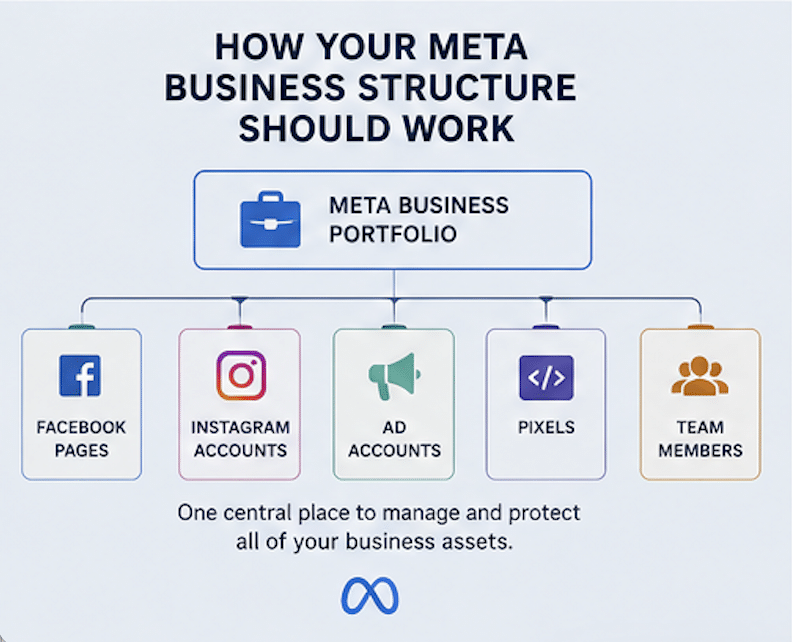
A Meta Business Portfolio (previously called Business Manager) is the organizational structure that owns and manages all of your Meta assets.
Your Business Portfolio can contain:
- Facebook Pages
- Instagram accounts
- Ad accounts
- Meta Pixels
- Catalogs
- Team members
- Agencies and partners
This is where ownership and permissions are managed, not inside your Facebook Page itself. Another reminder that, Meta Business Portfolio Setup is managed through Meta Business Suite.
Why is my Meta account so confusing?
Many businesses have gone through multiple employees, agencies, or freelancers over the years.
That often creates issues like:
- Multiple Business Portfolios
- Duplicate ad accounts
- Unknown administrators
- Personal Facebook accounts owning business assets
- Missing permissions
- Old agencies that still have access
It’s surprisingly common for businesses to discover they don’t actually own their own Facebook Page. When this happens it sets EVERYTHING back and creates unneeded stress for everyone (you, your team and your agency partner).
Should my personal Facebook account own my business?
Your personal Facebook profile is required to access Meta’s business tools, but your business assets should live inside a properly configured Business Portfolio.
This allows your company to:
- Maintain ownership
- Add or remove employees
- Work with agencies safely
- Prevent losing access if someone leaves the company
The goal is for the business, not an individual, to control the assets.
What’s the difference between a Facebook Page and a Business Portfolio?
Your Facebook Page is what customers see.
Your Business Portfolio is what manages everything behind the scenes.
Think of it like this:
- Facebook Page = Your storefront
- Business Portfolio = Your office building
Customers interact with the storefront.
Your team manages everything from the office.
Why can’t I access my ad account?
There are several possible reasons:
- You don’t have the correct permissions.
- The ad account belongs to another Business Portfolio.
- A previous employee or agency still owns it.
- Your Facebook profile was never granted access.
- The ad account has been disabled.
Each situation requires a different solution, which is why it’s important to identify exactly where ownership exists before making changes.
How many people should have admin access?
As few as possible.
We generally recommend:
- One or two business owners
- One trusted internal marketing contact
- Your marketing agency (partner access rather than ownership)
Limiting administrative access helps reduce security risks while keeping your organization organized.
Can I connect multiple Facebook Pages and Instagram accounts?
Yes.
A single Business Portfolio can manage multiple:
- Facebook Pages
- Instagram accounts
- Ad accounts
- Brands
- Locations
This is especially helpful for franchises, multi-location businesses, or companies with multiple brands.
How do I know if my Meta Business Portfolio setup is correct?
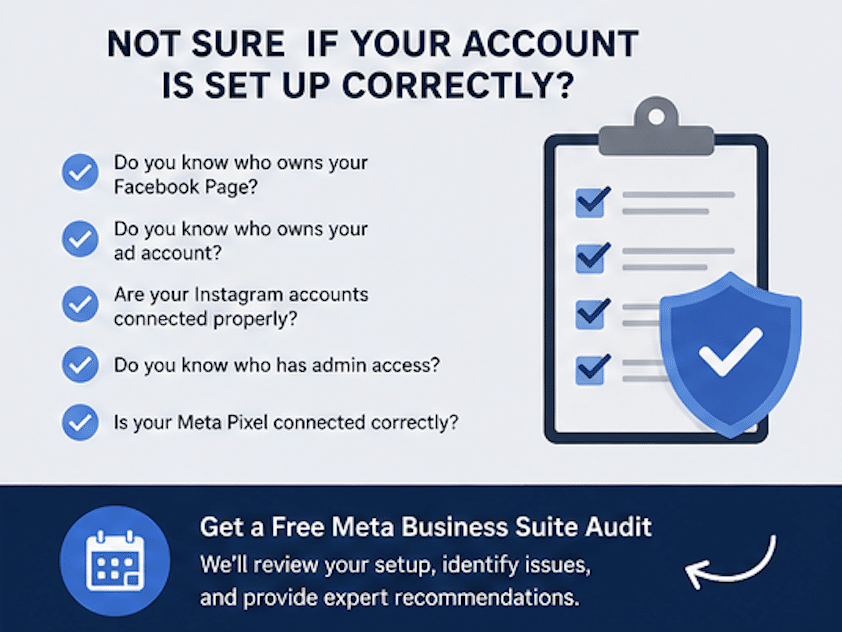
Ask yourself these questions:
- Do you know who owns your Facebook Page?
- Do you know who owns your ad account?
- Are all of your Instagram accounts connected properly?
- Do you know who has admin access?
- Is your Meta Pixel connected correctly?
- Can you easily add or remove employees?
If you answered “I’m not sure” to even one of these, your account is worth reviewing.
What mistakes do businesses make most often?
Some of the most common issues we uncover include:
- Creating multiple Business Portfolios
- Running ads from personal accounts
- Losing access when employees leave
- Granting full admin access to everyone
- Not documenting ownership
- Connecting the wrong Instagram account
- Duplicate Pixels and tracking problems
Most of these issues can be corrected—but they become more difficult over time. And once again remember that Meta Business Portfolio is managed through Meta Business Suite.
Should I audit my Meta Business Suite?
Absolutely. Don’t know where to start with your Meta Business Portfolio Setup or Meta Business Suite? Reach out here to Bad Rhino or to Rich DeMatteo (co-owner of Bad Rhino) directly.
A quick Meta Business audit can identify:
- Ownership issues
- Security risks
- Permission problems
- Tracking errors
- Unused assets
- Duplicate accounts
- Opportunities to simplify your setup
Many businesses discover problems they didn’t know existed until something breaks.
Need Help With Your Meta Business Portfolio Setup?
If your Meta Business Suite feels confusing or you’re unsure who actually owns your Facebook Page, Instagram account, or advertising assets, let us help you shed some light on it.
At Bad Rhino, we’ve helped businesses untangle years of account issues, recover access to important assets, and build clean, organized Meta account structures that make day-to-day marketing much easier.
We can typically map out the issue or find the know that needs untangling on a 15-20 minute video call. On that call we’ll review your account organization, identify any issues, and provide recommendations to improve security, ownership, and account management.
Whether you’re managing your account yourself or working with an agency, having the right Meta Business Portfolio Setup makes every future marketing effort more effective.