If you’ve spent any time managing your company’s Facebook or Instagram presence, you’ve certainly come across two Meta terms that sound almost identical and you’ve wondered what’s the difference between Meta Business Suite vs Business Portfolio
Many business owners assume they’re the same thing, but they actually serve very different purposes.
Understanding the difference can save you time, prevent access issues, and help ensure your Meta advertising account is set up correctly.
Let’s break it down and explore Meta Business Suite vs Business Portfolio
What Is Meta Business Suite?
Meta Business Suite is the dashboard you use every day to manage your business’s Facebook and Instagram presence.
Inside Meta Business Suite, you can:
- Create and schedule social media posts
- Reply to Facebook and Instagram messages
- Monitor notifications
- View account insights
- Access advertising tools
- Review content performance
Think of Meta Business Suite as your day-to-day marketing workspace. It’s where your team creates content, engages with customers, and checks campaign performance.
For many small businesses, this is the part of Meta they interact with most often.
What Is Meta Business Portfolio?
A Meta Business Portfolio is the organizational structure that sits behind everything in Business Suite.
It’s where your business owns and manages its digital assets, including:
- Facebook Pages
- Instagram accounts
- Ad accounts
- Meta Pixel
- Catalogs
- Team members
- Agency partner access
- Billing settings
In other words, your Business Portfolio is where all of your owned assets are and the panel where you can decide who needs access to what.
If Business Suite is your office desk, your Business Portfolio is the building that houses the entire business. That’s the basics when looking at Meta Business Suite vs Business Portfolio.
Why Does the Difference Matter?
This distinction becomes especially important when running Meta advertising and it’s critical to get the setup of your Meta Business Portfolio and Suite correct
Most advertising problems don’t happen because Business Suite isn’t working, they happen because the Business Portfolio isn’t configured correctly.
Some common issues include:
- Your ad account belongs to a former employee.
- A previous agency still has ownership.
- You can’t connect Instagram to your ads.
- Your Meta Pixel isn’t connected correctly.
- New employees can’t access your advertising account.
- Your Facebook Page isn’t owned by your business.
These problems can delay campaigns, interrupt advertising, and create unnecessary frustration.
Which One Should Business Owners Care About?
The answer is both, but for different reasons.
You’ll likely use Meta Business Suite every week to manage your content, messages, and advertising performance.
Your Business Portfolio, however, is something you should periodically review to ensure your business owns its assets and that permissions are set up properly.
Even if you aren’t making changes every day, having a well-organized Business Portfolio provides peace of mind when employees change, agencies come and go, or your business grows.
Common Mistakes Businesses Make
Over the years, we’ve seen businesses unknowingly create account issues that become difficult to untangle later.
Some of the most common include:
- Creating multiple Business Portfolios for the same company
- Running ads from a personal Facebook account
- Giving too many people administrator access
- Forgetting to remove former employees
- Allowing agencies to own business assets instead of partnering with them
- Connecting the wrong Instagram account
- Losing access because no one knows who the primary administrator is
These situations are more common than most business owners realize.
How Can You Tell If Your Account Is Organized Correctly?
Ask yourself a few simple questions when reviewing Meta Business Suite vs. Business Portfolio:
- Does your business own its Facebook Page?
- Is your ad account connected to your Business Portfolio?
- Do you know who has administrator access?
- Is your Instagram account properly connected?
- Does your Meta Pixel belong to your business?
- Can you easily add or remove employees or agency partners?
If you answered “I’m not sure” to any of these questions, it’s worth taking a closer look.
The Bottom Line: Meta Business Suite vs. Business Portfolio
Meta Business Suite and Meta Business Portfolio work together, but they serve different purposes.
Business Suite is where you manage your day-to-day marketing activities.
Business Portfolio is where your business owns and protects its digital assets.
Having both set up correctly creates a stronger foundation for advertising, improves security, and makes it much easier to manage your marketing as your business grows.
Need a Second Set of Eyes?
If you’re unsure whether your Meta account is organized correctly, Bad Rhino can help.
We’re offering a free Meta Business Portfolio audit where we’ll review your account structure, permissions, ad account ownership, Facebook and Instagram connections, and overall organization.
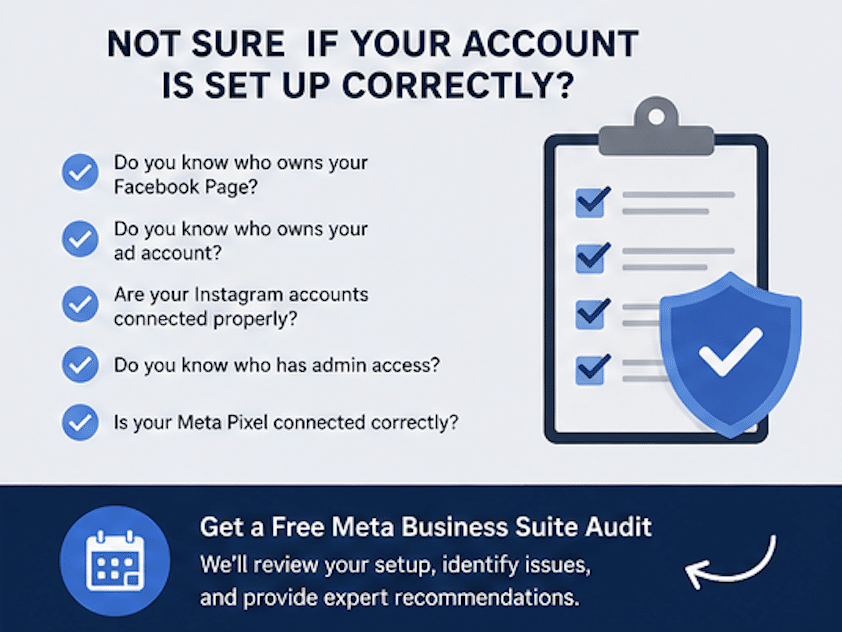
Our goal is to help ensure your business has a clean, secure, and scalable Meta setup so you’re ready to run successful advertising campaigns, have a clear understanding of who truly owns your business, and optimize your digital presence across meta.
Still have some questions about Meta Business Suite vs. Business Portfolio? Contact us here!